

Features
One app, from cold lead to final gallery.
Most studio software starts the day somebody emails you. PEARSPECTIVE starts earlier, back when you don't have a client yet, the calendar looks thin, and you're refreshing event listings out of habit more than hope. Everything below runs on your computer, on your keys, and nothing in it is rented.
Find the work
Lead search.
Type a city. It pulls venues, festivals, club nights and brands from event listings and maps, then opens each one's own website and reads it. You see who actually runs events, who posts photos from them, and which places look like they've never once paid anyone to shoot a night.
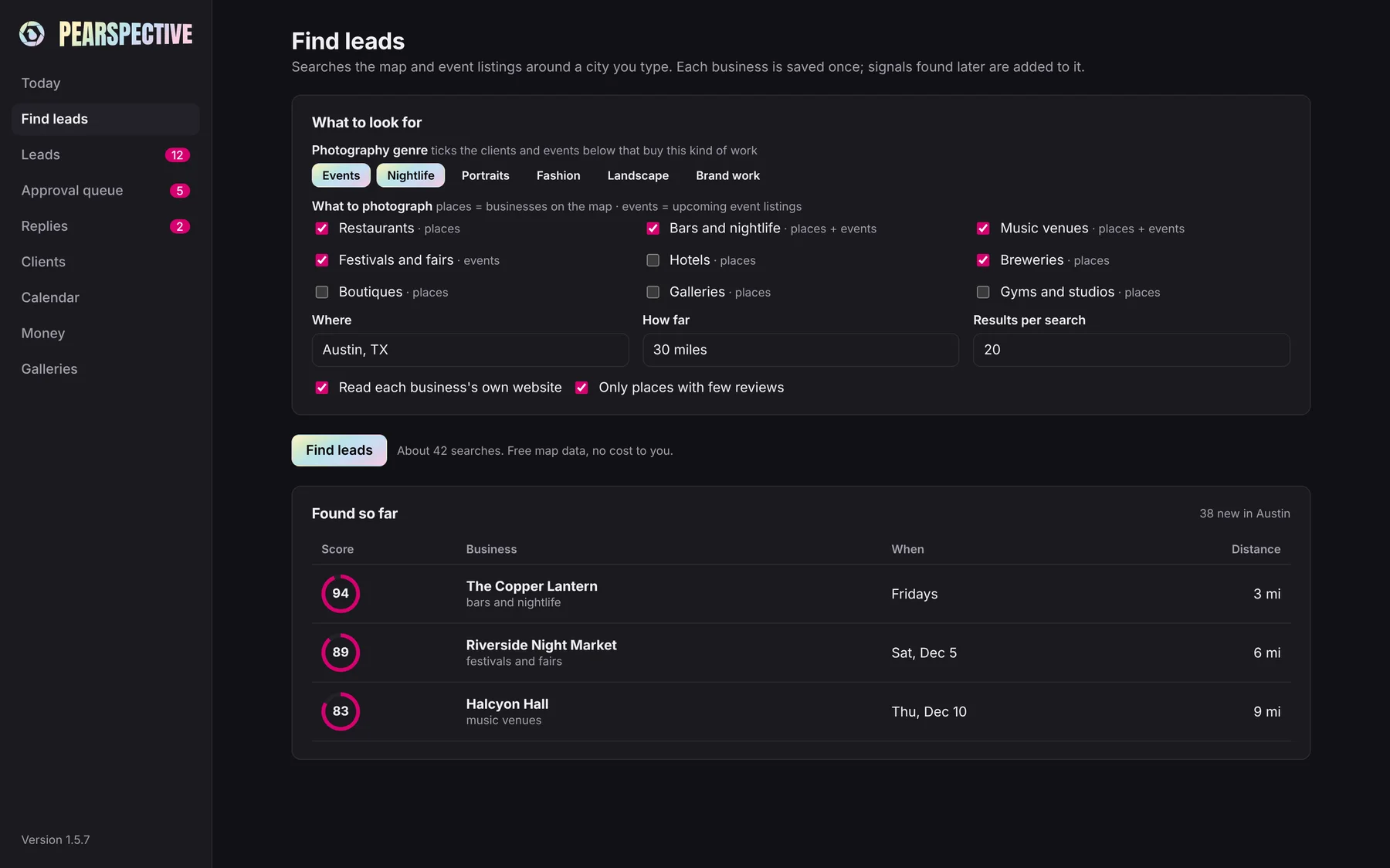
The photo audit.
Every lead gets a score based on what its pictures are missing: a flat hero image, no crowd shots, nobody in the frame. A low score means a place that needs you. Work down the list from the top.
Write the pitch
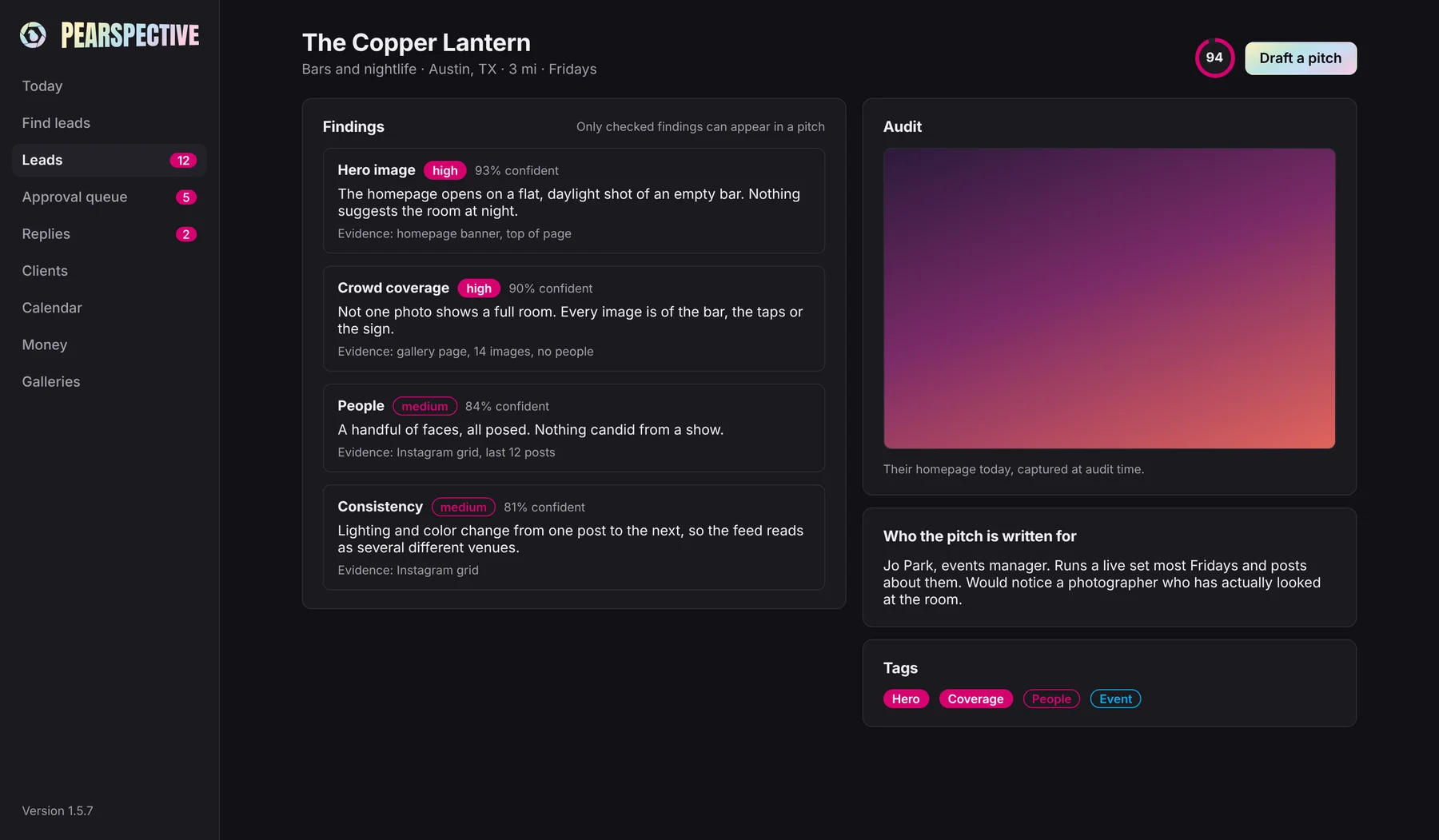
Pitches in your voice.
Each draft opens with something true about the place, the marquee, say, or how the floor fills on a Friday. Change a draft and the next one leans toward how you wrote it. Give it a few edits and it stops sounding like software, which matters, because a pitch that reads like a template gets treated like one.
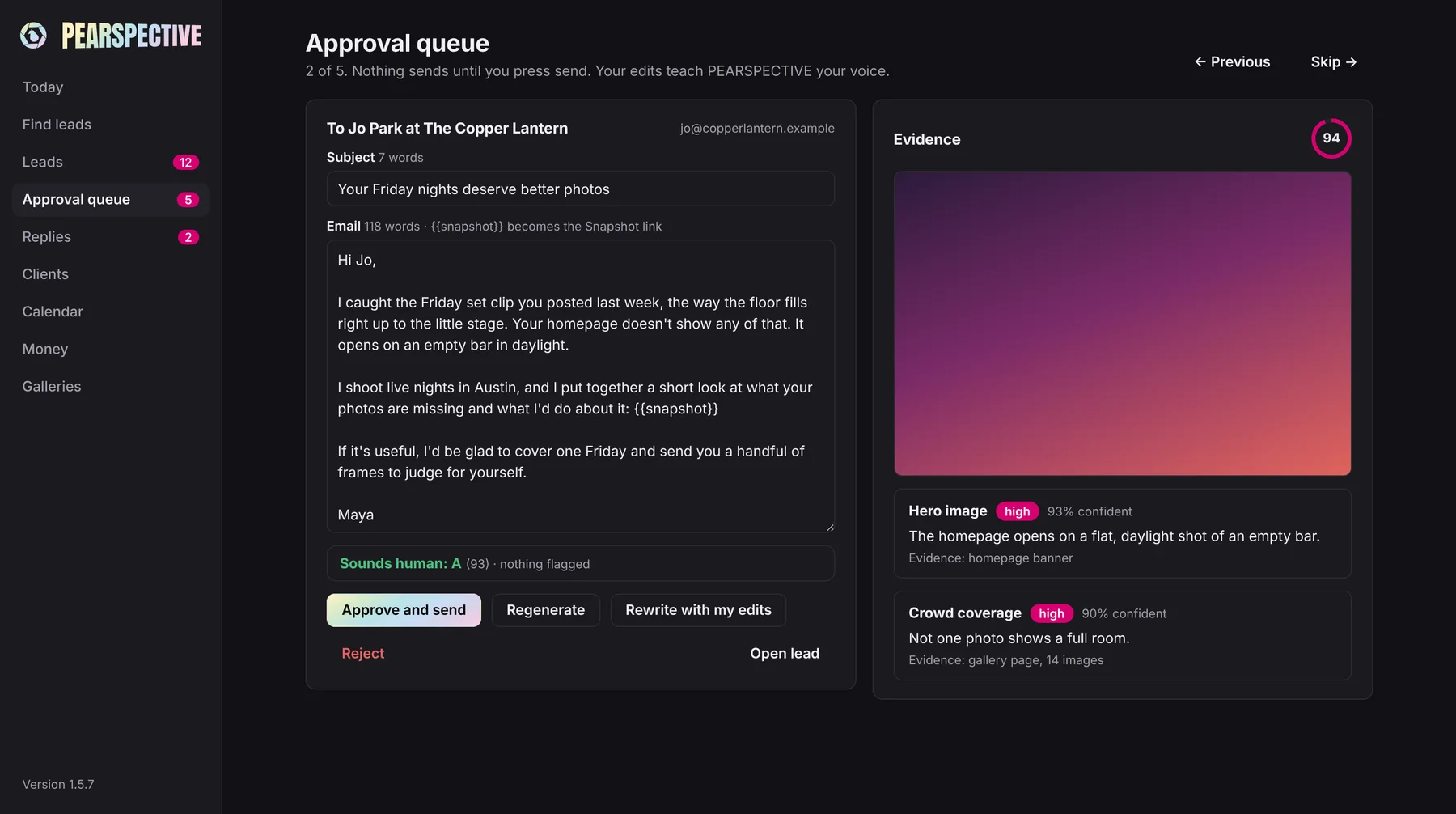
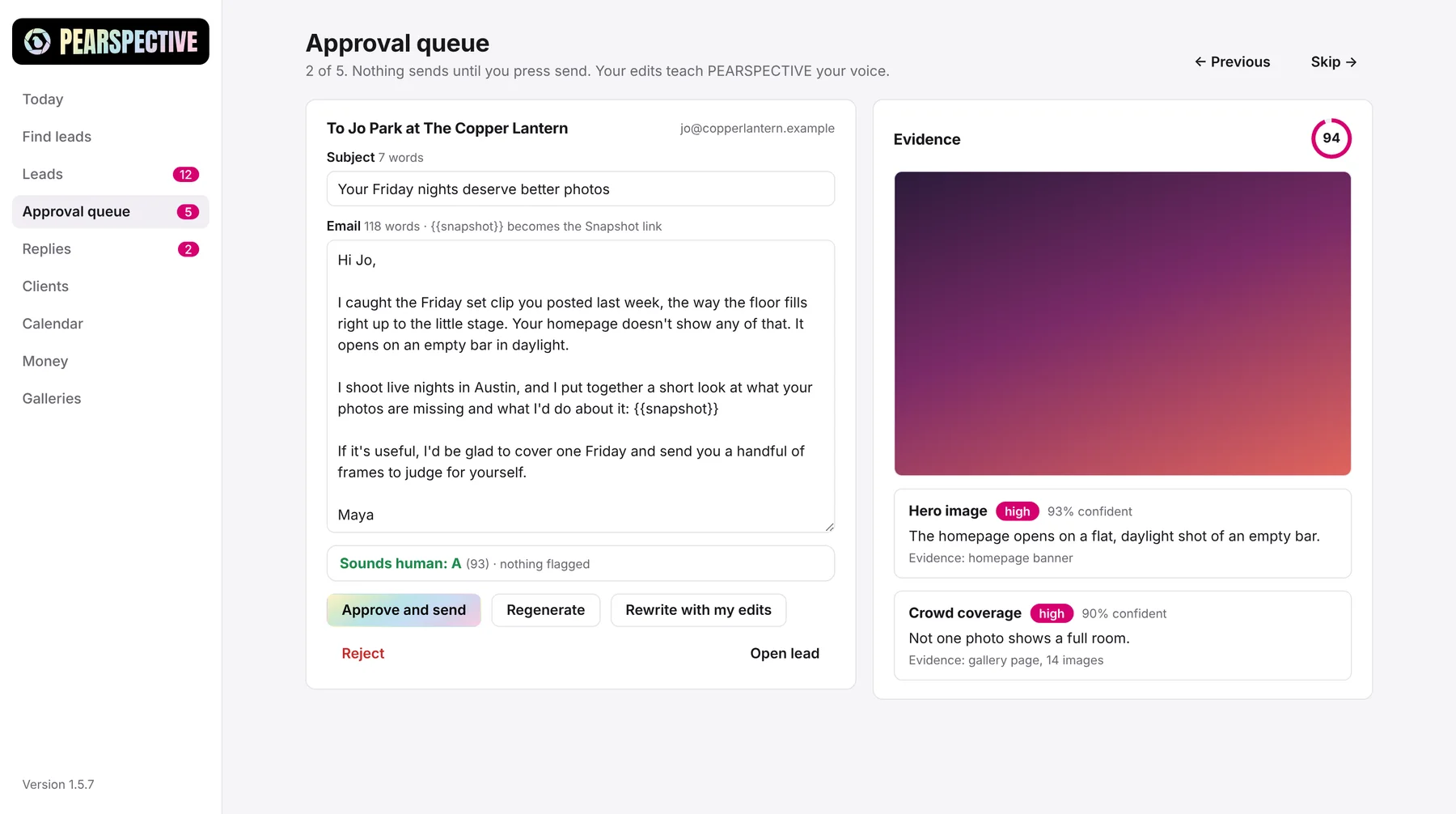
The approval queue.
Nothing sends itself. Drafts wait in a queue, you read them, and you press send or skip. There's a daily send limit you set, and anyone on your do-not-contact list never makes it into the queue at all.
Follow-ups that know when to stop.
At most two per lead. The moment someone replies, they end. A no puts that person on your do-not-contact list for good, and every email carries your name, your address, and a one-line way to opt out.
Run the job
Proposals and contracts.
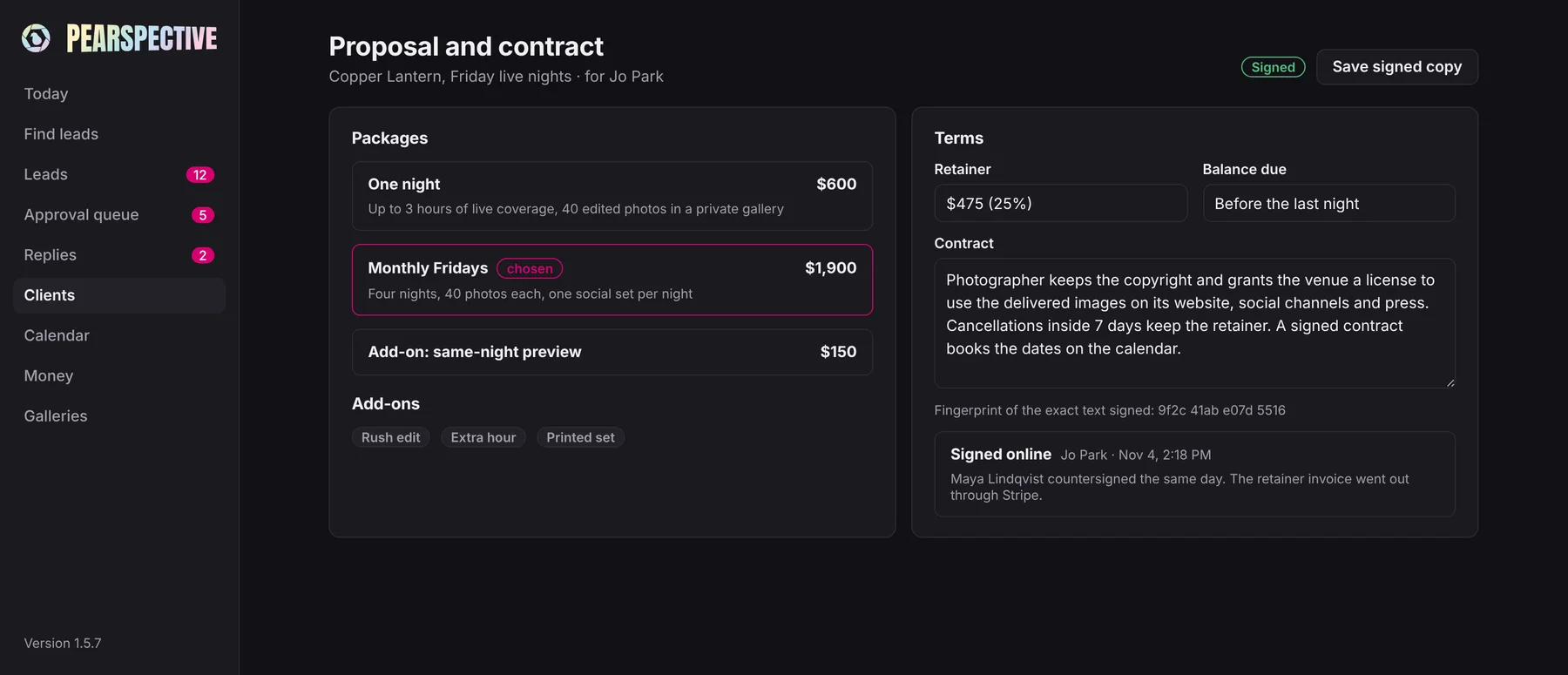
When a lead says yes, the same app writes the proposal and the contract. The client reads and signs online, which means you aren't emailing PDFs back and forth or waiting three days on a scanned signature. Try the free pricing calculator, which is part of the app.
Deposits.
The deposit invoice goes out through Stripe, so the money arrives before the shoot, not after the gallery.
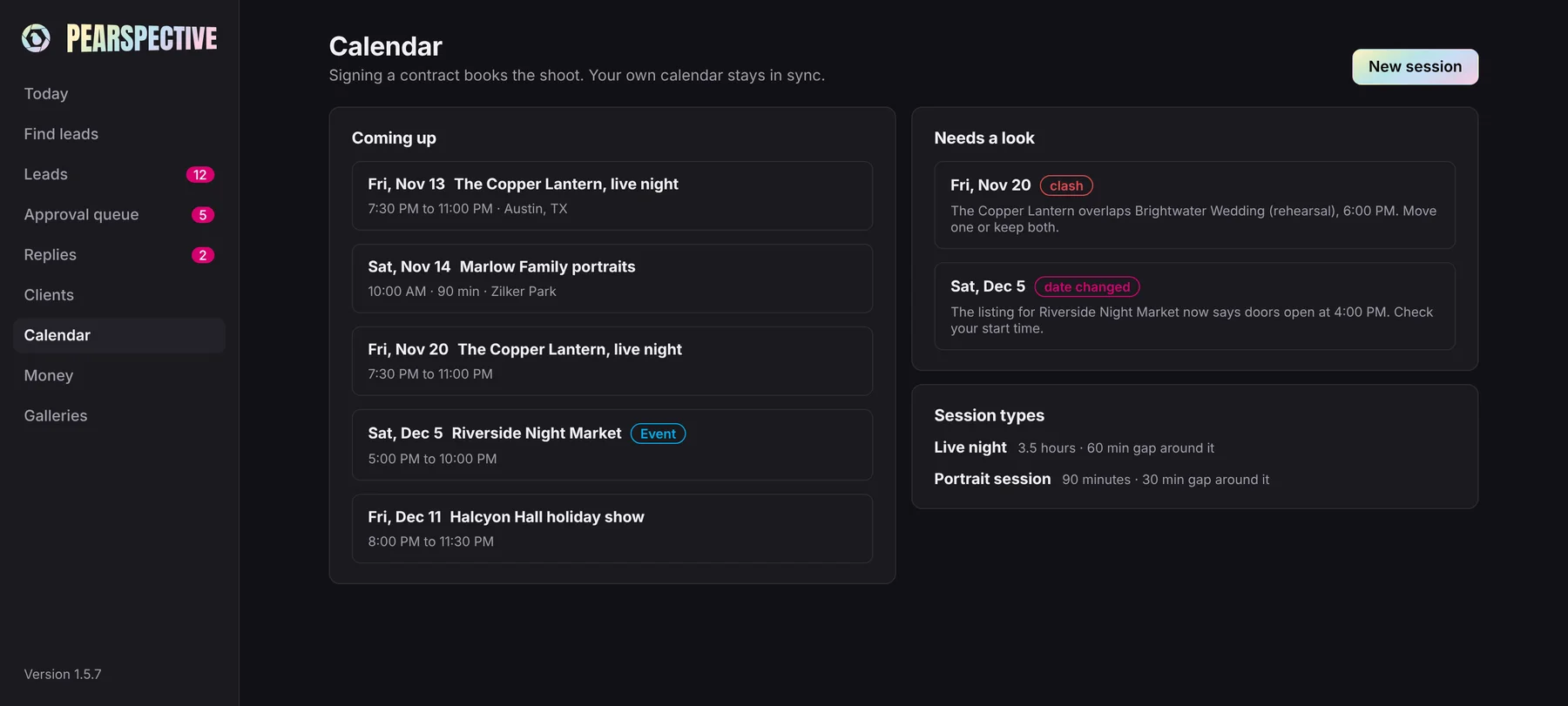
Calendar.
Tie a package to a calendar type and signing books the shoot for you. No retyping the date into three places.
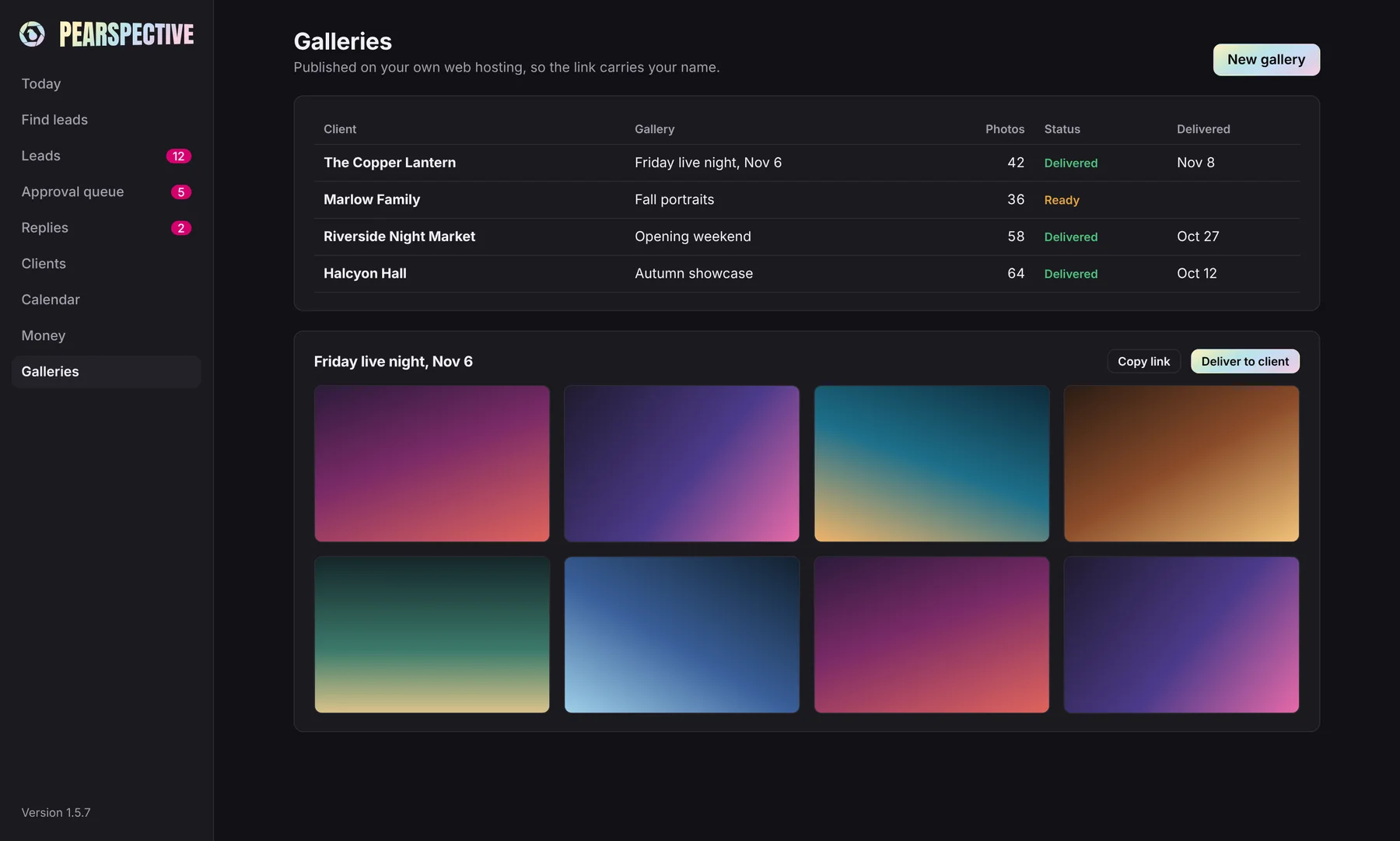
Galleries.
When the work is done, the gallery goes up on your own web hosting, so the link carries your name instead of mine and the client list never leaves your hands.
Two computers, one set of leads.
Work on a laptop at the venue and a desktop at home without copying anything by hand. Sync moves your leads, drafts, clients, projects and invoices between them through a cloud folder you already use, like Dropbox or iCloud Drive. It never passes through a server of mine. The newest edit wins, one computer is the main one so nothing sends twice, and your passwords stay on each machine. Sync comes with the paid license.
Light or dark.
It follows your computer's setting, so PEARSPECTIVE matches whatever else you have open. Here's the light side.
Yours to keep
The database lives on your computer. Keys sit in your computer's secure credential store. A full backup lands in your Dropbox once a day. AI runs on your own key, Claude by default, with a monthly cap you set and no markup from me. When a new version is ready, the app tells you and updates in a click.
One price
$799 once, or $69 a month for 12 months. Try the whole thing free for 30 days first.